Language
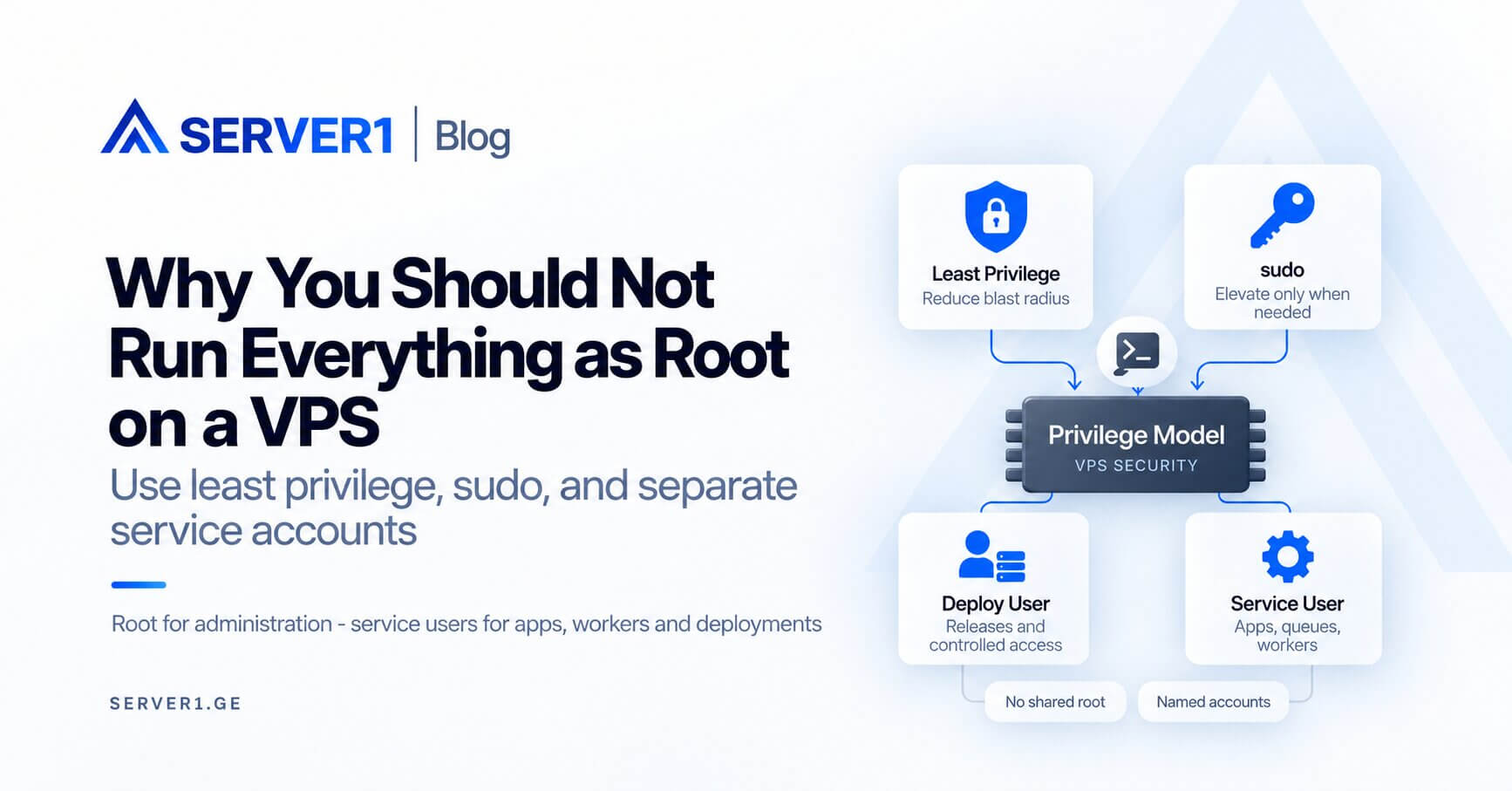
Root access is necessary for administration, but running everything as root is poor practice. If a web application, worker, deployment script or backup process runs with full privileges, one bug or compromised process gains far more control than it needs.
The practical risk: one mistake, excessive impact
Imagine a Node.js or PHP process with a file-deletion bug. Under a restricted service account, damage is limited to directories that account can access. Under root, those natural boundaries largely disappear.
Separate three identities
| Role | Use it for | Avoid |
|---|---|---|
| root | OS, packages, firewall, users | long-running application processes |
| deploy user | releases and controlled deployment | unrestricted system administration |
| service user | PHP, Node, workers, queues | access to unrelated projects |
the hosting security overview explains why privilege separation is only one layer. For practical server-side controls, see the server-management tools guide.
The role of sudo
Administrators should normally work under named accounts and elevate only for commands that require it. Give each team member an individual SSH key. A shared root password weakens accountability and makes offboarding harder.
During deployment
- let a deploy or service account own application files;
- restrict secret-file permissions;
- grant write access only where the application requires it;
- keep system configuration under administrative ownership.
Root should be a privilege you elevate to when needed, not the default identity for every process.
If your team owns Linux operations, SERVER1 Unmanaged VPS gives you full control. If you want OS-level work delegated, compare Managed VPS. For a broader ownership model, see server management and time savings.
How to move away from an “everything runs as root” server
Do not begin a production privilege redesign with a blanket `chown`. First map dependencies: which process runs under which identity, where it writes, which sockets or secrets it reads, and which scheduled jobs silently depend on root.
- Inventory processes: list long-running services running as UID 0 and justify each one.
- Separate ownership: keep application code, uploads, cache and logs under deliberate ownership instead of making broad trees writable.
- Create boundaries: introduce service accounts and narrow sudo rules for genuinely administrative commands.
- Test access safely: keep an existing SSH session open while validating a new login and sudo path.
- Observe a full cycle: allow deployment, cron and backup routines to run before removing old permissions.
A practical privilege audit
| Area | Red flag | Better state |
|---|---|---|
| Long-running services | unexplained UID 0 processes | root only where technically required |
| Application files | root-owned deployment tree | separate deploy/service ownership |
| Scheduled jobs | every cron task runs as root | minimum identity required for each job |
| sudoers | broad unrestricted access | named accounts and deliberate privilege |
| Secrets | world-readable configuration | minimum read permissions |
This matters even more when one VPS hosts several applications or customer projects. A compromise in one project should not automatically become a compromise of the entire VM. Privilege separation belongs beside patching, firewalling, backups and monitoring - not instead of them.
What least privilege does not solve
A restricted service account cannot fix an unpatched vulnerability, a stolen administrator key or a publicly exposed database. Its purpose is to reduce the blast radius: when something does go wrong, fewer assets should be reachable from the compromised process.