Language



Servers & Infrastructure
Advantages of Dedicated Servers
Dedicated servers offer isolation, control, predictable resources and greater flexibility for demanding workloads. Learn when dedicated infrastructure may be the right choice.
GPU Servers on SERVER1.GE - powerful GPU resources for artificial intelligence, machine learning, LLM inference, 3D rendering, video processing, and high-performance computing tasks. Get
If you need GPU resources for an AI project, a rendering farm, or video/data processing, send us your request and we will help you choose the right configuration. You can also view Dedicated Servers or VPS Hosting.


 ️
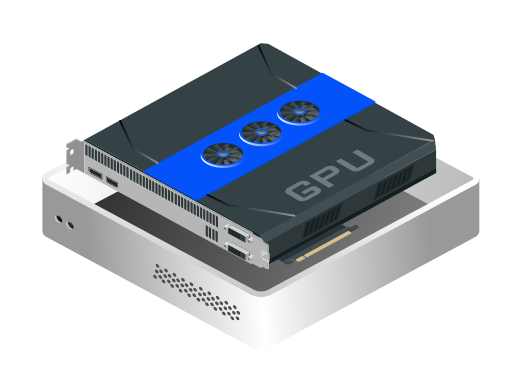
️A GPU server is selected based on workload: VRAM, CUDA cores, CPU, RAM, NVMe storage, network, and location.
A GPU server is a high-performance server with a powerful graphics processor for parallel computing. It is used for AI/ML models, LLM inference, rendering, video transcoding, data analysis, and other heavy workloads.
For AI startups, developers, SaaS companies, design/architecture studios, video studios, and teams for whom a CPU-only server is no longer enough.
Dedicated GPU resources, fast SSD storage, sufficient RAM, a secure network, and full Root/Admin access. Initial OS/driver/CUDA stack setup is available on request.
The key factors are VRAM, GPU architecture, CPU/RAM balance, dataset size, latency, storage IOPS, and the software stack. We will help you choose the configuration based on your workload.
See also Dedicated Servers, VPS Hosting and Migration.
The GPU server package gives you dedicated GPU infrastructure with full Root/Admin access. The customer manages the server independently, while SERVER1.GE provides server delivery, network infrastructure, basic configuration assistance, and additional options on request.
A GPU server provides specialized computing power where CPU-only infrastructure is slow or expensive. SERVER1.GE helps you choose the right resources, launch the server, and ensure stable infrastructure delivery.
The server is prepared for CUDA, Python, PyTorch, TensorFlow, JupyterLab, and containerized workflows.
GPU resources are dedicated for heavy inference, training, rendering, or data processing tasks.
Fast storage reduces delays in dataset loading, cache operations, and render output.
Renting a GPU server is often more predictable than usage-based cloud GPU costs.
Monitoring can be added as an additional option to track GPU utilization, VRAM, temperature, CPU/RAM, disk, and network.
Full Root access gives you complete control, while firewall, SSH hardening, and backup options reduce operational risks.
You can work with Docker, Python environments, a Kubernetes node, or a custom rendering pipeline.
When needed, our team can help with initial configuration, adding monitoring, and performance tuning under a separate agreement.
The GPU server is delivered to the customer with full Root/Admin access, so OS, applications, security policy, and workload management are handled by the customer. SERVER1.GE provides hardware/network infrastructure, availability, and additional technical assistance by agreement.
The GPU server is delivered with full Root/Admin access and can be used for AI/ML, rendering, video processing, or a custom compute workflow.
The most common choice for AI/ML and CUDA environments.
A stable environment for production workloads and enterprise policies.
Initial setup of the appropriate driver, CUDA runtime, and GPU compatibility environment is available on request.
NVIDIA Container Toolkit, Docker Compose, and reproducible deployment.
AI/ML frameworks for a JupyterLab or API deployment environment.
Blender, FFmpeg, render pipeline, and GPU acceleration as needed.
A GPU server is especially effective for parallel computing where large volumes of data or visual workloads need to be processed quickly.
Chatbot, RAG, embedding, private AI assistant, and API inference workloads.
Model training, fine-tuning, data science notebooks, and experiment tracking.
Blender/Cycles, architectural visualization, animation, and render queue.
FFmpeg acceleration, transcoding, upscaling, and media workflow.
Moving to a GPU environment starts with workload assessment: what software runs, how much VRAM is required, what the dataset size is, how many users or jobs run, and what uptime requirement exists.














Answers about choosing, managing, securing, and using a GPU server.
A GPU server is a server with a powerful graphics processor for parallel computing. It is used for AI/ML, rendering, video processing, and heavy computational workloads.
A regular Dedicated server is mainly CPU-oriented. A GPU server additionally gives you VRAM and thousands of parallel compute cores, which is much more effective for AI and rendering tasks.
The choice depends on model size, VRAM requirements, inference/training type, and the number of concurrent requests. T4/L4 may be enough for small inference, while a larger LLM or training workload requires an A100/L40S-type GPU.
Yes, initial preparation of NVIDIA Driver, CUDA Toolkit, runtime, and Docker GPU environment is available on request. After that, daily server management is handled by the customer through full Root/Admin access.
Yes, on a GPU server you can run PyTorch, TensorFlow, JupyterLab, a Python virtual environment, or a Docker container workflow. Initial stack setup is available by prior agreement.
Yes, a GPU server can be used for Blender, 3D rendering, architectural visualization, animation, and video processing tasks. When choosing a configuration, GPU model, VRAM, and storage speed are important.
Not necessarily. A GPU server can be Dedicated Bare Metal or a virtualized GPU resource. This page focuses on dedicated/high-performance GPU infrastructure.
VRAM is GPU memory where the model, batch data, or render workload is stored. If VRAM is insufficient, the job may fail to run or slow down significantly.
Yes. On a GPU server, the customer has full Root/Admin access. This means you can manage the OS, software stack, firewall, access policy, deployments, and configuration of all internal services yourself.
Yes, Docker, Docker Compose, NVIDIA Container Toolkit, and, if needed, a Kubernetes node can be prepared. The architecture must be agreed in advance based on the workload.
Monitoring is available as an additional option: GPU utilization, VRAM, temperature, CPU/RAM, disk, network, and core services. By default, the server is delivered with Root/Admin access for independent management.
Backup is configured according to agreed storage, frequency, and retention. For large datasets, a separate storage policy is often used because a full daily backup of all data is expensive and inefficient.
It depends on the workload. If you need GPU constantly, renting is often more predictable than usage-based cloud costs. For short experiments, cloud may be more flexible.
Yes, LLM inference, RAG, embedding, and private AI assistant workloads are possible. GPU choice depends on model size, quantization, concurrency, and latency requirements.
In the first stage, send us a description of the workload: what software/model you need, how much VRAM is required, how much storage you need, and what uptime requirement you have. After that, we will select the configuration and launch plan.
Send us your workload description and SERVER1.GE will help you choose the GPU configuration, location, storage, and necessary additional options. Get a GPU server with full Root/Admin access that truly matches your task.