
Free Migration
to SERVER1.GE

Fast, secure, planned migration from another provider to SERVER1 infrastructure

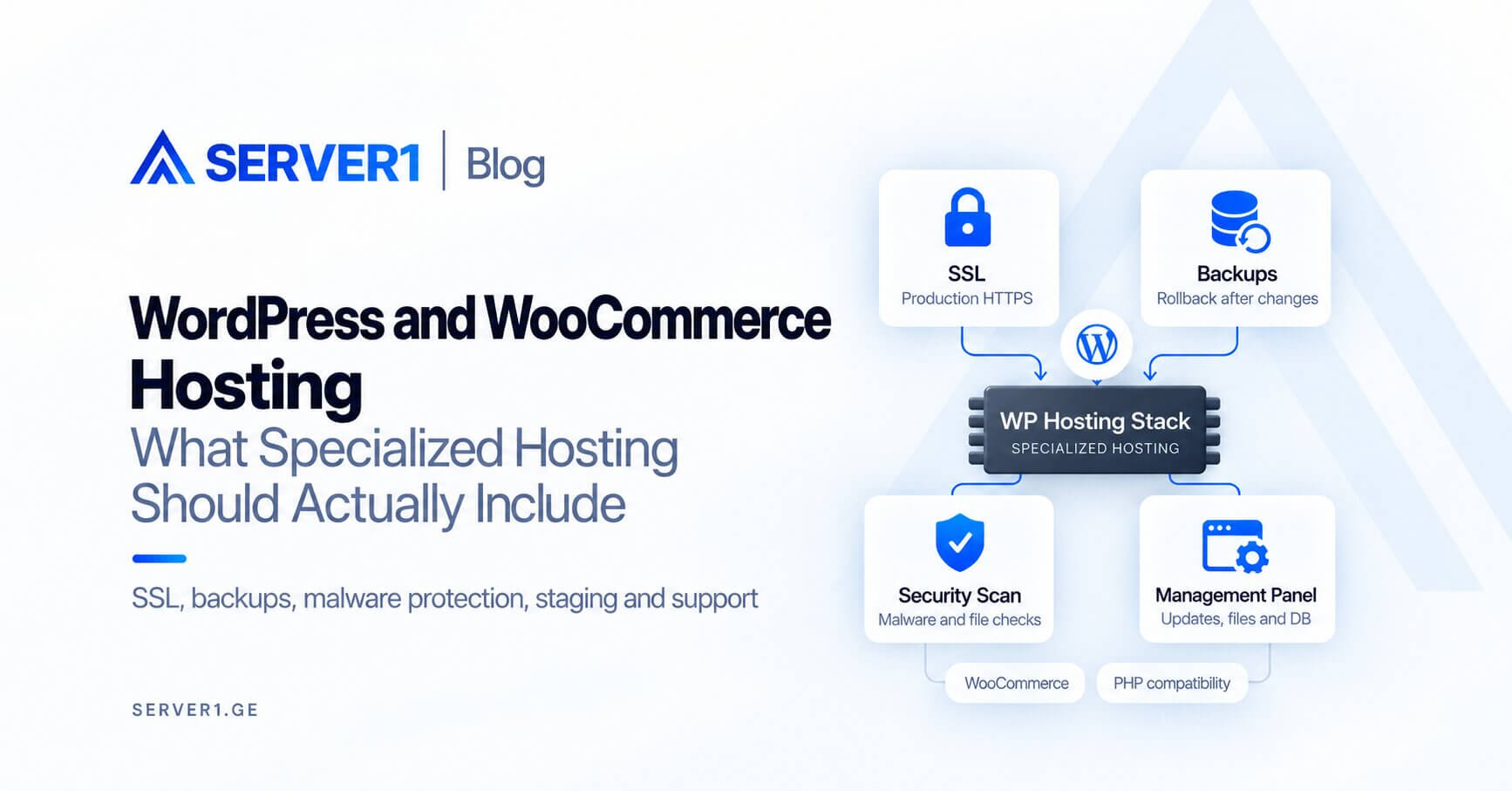
Hosting migration is often associated with discomfort - fear of downtime, concern about data loss, email interruption, or WordPress issues. With a properly planned migration, these risks are reduced to zero. SERVER1.GE helps you plan the process correctly and move your project to the right environment - whether it is Web Hosting, WordPress Hosting, Managed VPS or Managed Dedicated Servers.

✔ Secure planning ✔ Files and databases ✔ Email ✔ WordPress ✔ 24/7 support

Choose the right environment for migration

Not every project needs the same environment. A small website, a WooCommerce store, a WordPress blog, a high-load application, and isolated business infrastructure all have different requirements - and the right choice makes the migration process simple and stable.

Web Hosting

For classic websites and business websites

Corporate websites, small and medium-sized projects, landing pages, catalogs, and service websites that need a stable, managed environment on shared infrastructure.

  • Migration of files and databases
  • Email environment check
  • DNS switch planning
  • Deployment to the new hosting with minimal risk
  • Technical assistance after launch
View Web Hosting

Managed VPS

More resources, isolation, and flexibility

Growing projects, custom PHP / Node.js / Python environments, APIs, complex CMS platforms, and multi-site infrastructure - where shared hosting is no longer enough.

  • Assessment of the application and system environment
  • Configuration planning
  • Server access management
  • Managed assistance with OS / security / monitoring
  • Stable cutover process
View Managed VPS

Managed Dedicated Servers

For high-load, isolated, and critical projects

High-traffic platforms, heavy databases, resource-intensive systems, and enterprise-type applications where full server isolation and control are critical.

  • Planning migration to a Dedicated environment
  • Review of resources and architecture
  • Security policy considerations
  • Managed operational support
  • Controlled migration of business-critical infrastructure
View Managed Dedicated Servers

Need help?

Is it WordPress or a custom system? Are you migrating email too, or only the website? Do you need a shared environment or dedicated resources?

Why is it worth migrating to SERVER1.GE?

Hosting migration is not just "copying files" - it is choosing the right infrastructure, creating a process plan, and upgrading the technical environment.

Planned process

Migration should not be a chaotic action. The right sequence - assessment, preparation, transfer, validation - reduces risk and makes the process transparent. A structured approach is always better than spontaneous copying.

Careful data transfer

Files, databases, configuration, media, and email - everything requires coordination. The transfer process includes checking copy accuracy and, when needed, preparing a fallback plan.

Selecting the right environment

Not every project needs Dedicated, and not every project can remain in a shared environment. The right decision is the one that matches your project size, traffic, and growth plan.

Technical support

This is especially important for users who do not want or cannot carry out the cutover process alone. SERVER1.GE helps you step by step, identifies specific complexities, and supports the right decisions.

Better performance potential

A project placed on the right infrastructure often achieves more stable and faster operation. This benefit is especially noticeable when the old environment was technically outdated or overloaded.

Ready for scaling

From small hosting to Managed VPS, and from VPS to Dedicated - the growth path is logical and consistent. On SERVER1.GE, this transition happens within one infrastructure, without searching for a new provider.

What can be migrated during the migration process?

Every project is different. Sometimes only website files and the database need to be migrated; in other cases the process includes email, DNS, CMS configuration, media library, cron jobs, SSL-related steps, and post-launch checks. Understanding the full picture directly determines the quality of the migration plan.

01

Website files

HTML, CSS, JavaScript, PHP, Python, Node.js scripts, images, static files, configuration files - any file structure accessible through FTP, SSH, or an admin panel. The transfer is performed with accuracy control.

02

Databases

Exporting, transferring, and importing MySQL and MariaDB databases into the new environment. Preserving the correct configuration (charset, collation, connection strings) is critical - especially for WordPress, WooCommerce, and custom CMS platforms.

03

WordPress environment

WordPress core files, themes, plugins, uploads directory, wp-config.php configuration, user roles, permalink structure, and custom post types. After migration, validation is performed to ensure every function works correctly in the new environment.

04

Email and mail environment

Coordinating the email environment - MX records, SMTP configuration, IMAP/POP3 settings - requires careful planning. A smooth email service switch depends on proper synchronization of DNS changes.

05

DNS / domain switch

Planned DNS record updates - A, MX, CNAME, TXT - before directing traffic to the new server. TTL control, waiting for propagation, and parallel validation of both environments are the key elements of this stage.

06

Server configuration assessment

During VPS or Dedicated migration - PHP version, Apache/Nginx configuration, cron jobs, firewall rules, SSL certificates, and service dependencies - everything is assessed in the new environment for correct launch.

i The specific migration scope depends on access, the current infrastructure, and project complexity.

How does migration to SERVER1.GE work?

The goal is to make the transfer process as smooth, clear, and controlled as possible.

1

Initial assessment

At the first stage, we assess what type of project it is, where it is currently hosted, what technologies it uses, and what size and structure it has. This step determines what kind of environment the project needs and how many migration stages will be required.

2

Access and risk check

At this stage, we check available access: FTP/SSH, database access, email configuration, DNS management, and admin panel. We also identify potential complexities - plugin conflicts, outdated PHP version, or irregular database structure.

3

Preparation and work plan

We define where the project will be hosted and in what sequence the transfer will happen, as well as which stage follows which. If needed, we create a test environment where the migrated version can be validated before the official switch.

4

Cutover - switch

Transferring the final, current version of the data and switching DNS / public traffic to the new server at the optimal moment. Correct timing at this stage minimizes service unavailability. The exact process is defined based on the project type.

5

Post-migration check

After the switch, we check website loading, WordPress functions, form submissions, email flow, links, SSL certificate, content, and database connection. Post-launch validation is a critical step for confirming stable operation.

Standard migration scenarios may fall within free migration, while complex or nonstandard cases are assessed in advance based on technical complexity. In any case, this approach makes the process transparent and controlled.

Which environment is right for your migration?

The comparison helps you make a quick decision - whether you are a technical team or a business user.

Criterion Web Hosting WordPress Hosting Managed VPS Managed Dedicated
Who it is for Corporate, landing, and catalog websites WordPress blogs, WooCommerce Growing custom stack projects Enterprise, high traffic
Management complexity Simple Simple, WP-optimized Medium - Managed Managed, high responsibility
Resource isolation Shared Shared / WP-optimized Full isolation Full, physical
WordPress compatibility ✔ Good ✔ Optimal ✔ Possible ✔ Possible
Custom stack Limited WP-focused Full flexibility Full flexibility
For high load Basic Up to WooCommerce ✔ Good ✔ Optimal
Technical involvement Minimal WP knowledge is enough Medium, Managed Manager/DevOps

WordPress migration: what do we pay special attention to?

WordPress migration may look technically simple, but in reality it includes many nuances - especially with WooCommerce, cache plugins, or dependent services.

Theme and plugin compatibility

Every plugin is tested in the new environment - against the PHP version, server configuration, and other plugins. Conflicts may appear after the transfer, so post-migration checking is mandatory. We cannot guarantee that every third-party plugin will work automatically - this depends on the plugin code and environment compatibility.

Media library and uploads

The WordPress media library (wp-content/uploads) cannot create the full picture without the database. Migration includes copying the full uploads folder, checking scaled images (thumbnails), and correctly updating URLs stored in the database for the new domain.

Permalink structure and URLs

Changing the URL structure significantly affects SEO. Preserving permalinks, correctly configuring .htaccess, and preparing 301 redirects when needed - these elements are part of the post-migration check.

Forms, email, cache, and performance

SMTP configuration in the new environment, reconfiguring cache plugins (WP Super Cache, W3TC, LiteSpeed Cache), and testing form submissions (Contact Form 7, Gravity Forms) are all checked before confirming a stable launch.

WooCommerce - specific caution

WooCommerce store migration requires the most attention: products, orders, customer data, payment gateway configuration, shipping, tax, and coupon structure - every element is assessed separately. Live shop cutover is performed with minimal interruption.

Post-migration validation

Completing the transfer ≠ completing the migration. Full WordPress environment validation includes front-end page loading, admin panel, plugin status, links, forms, email, SSL, and a baseline speed test. Only after validation is the migration considered complete.

Managed VPS and Managed Dedicated migration

When simply copying files is not enough.
Infrastructure migration often means not only moving the website, but also properly planning the environment - resources, security, server responsibilities, access, process control, and operational resilience.

A

Application environment assessment

Before moving to a new server, we assess which PHP version, web server, database type, runtime environment, and custom configuration are required. For custom stacks (Node.js, Python, Ruby), preparing the server environment comes before transferring the data.

B

Resource, stability, and isolation plan

Moving to Managed VPS or Dedicated means that server configuration - CPU, RAM, disk I/O, network - should be selected appropriately for the new requirements. We help determine the right size and configuration, with growth in mind.

C

Managed operational support

Within the Managed service, operational responsibility is separated - the SERVER1.GE team manages the server infrastructure, while the customer focuses on their application. This approach reduces operational risk even after migration.

OS and server environment plan
Basic security approaches
Monitoring, response, responsibility areas
Sequential service transfer
Post-migration operational check
SSH, firewall, access policy update

Secure migration: critical process elements

Complete transfer of all files, database records, and configuration requires accuracy checks - a byte-by-byte copy does not always mean correct functional operation in the new environment. That is why accuracy is confirmed during the validation stage, in the context of the environment.

Before any migration, it is important for the existing version to be stored as a backup. A fallback plan means that if a problem appears in the new environment, a quick return to the old state is possible with minimal interruption.

DNS propagation requires 24-48 hours, depending on TTL. Cutover planning includes reducing TTL in advance, confirming the new server is ready, and updating records at the right moment, so traffic switches with minimal disruption.

A smooth email service switch depends on the synchronization of MX records, SMTP settings, and DNS propagation. Preparing the email environment separately and testing it is the most important part of this step.

After the transfer, every critical function is tested: forms, email, database connection, media, plugins, SSL, and admin panel. Without this stage, the migration is considered "half complete" - functional validation is the final step.

In the case of Managed VPS or Dedicated, operational responsibility - server, OS, network, hardware - is within SERVER1.GE's area. The customer is responsible for their application, data, and software. This separation simplifies clarification in the event of an incident.

What scares customers during migration - and how do we respond?

The biggest barrier to migration is often not technical - it is psychological and informational. Below, we answer the most common questions.

"Will my website go down?"

Avoiding full downtime is possible with good planning - reducing TTL, preparing the new environment before DNS switch, and keeping both environments running in parallel during cutover. In some cases, short unavailability may happen during propagation - managing this properly is part of our responsibility.

"Will the database be lost?"

Database migration is a controlled process. Export, verification, import with the correct charset, and subsequent functional test - these four steps ensure complete database transfer. We always keep a backup before migration.

"Will WordPress break?"

The most common difficulties in WordPress migration arise from URLs stored in the database, PHP version, or plugin conflicts. All of this is assessed during the validation stage. Post-migration checking is mandatory.

"Will email be interrupted?"

Email can be managed independently of DNS. Correctly updating MX records and setting up the new SMTP / IMAP configuration is coordinated together with DNS switching, to minimize email service disruption.

"Will the new environment really be better?"

It depends on choosing the right environment. Web Hosting is good for an average website, WordPress Hosting is WP-optimized, and Managed VPS is for growing projects. The right selection often means improved stability and speed.

"I do not want technical details - what happens?"

This is the most common case. The SERVER1.GE technical team leads the process - you need available access credentials (FTP, admin panel) and readiness for the validation stage. All technical steps are handled by us.

Frequently asked questions about migration

Website migration, WordPress transfer, changing hosting, moving to Managed VPS and Dedicated Server - all key questions are answered below.

Free migration means that for standard web project transfers, SERVER1.GE does not charge a separate migration fee. This applies to Web Hosting, WordPress Hosting, Managed VPS, and Managed Dedicated services. Migration simplicity, volume, and specific scope are determined based on the project type and complexity during the preliminary assessment stage.

We can coordinate the migration of websites, WordPress sites, WooCommerce stores, custom PHP / Node / Python/Ruby applications, email environments, multi-site infrastructure, and enterprise-type systems. In every case, the first stage is assessment.

Yes. WordPress migration is our most common scenario. It includes files, database, uploads, plugin validation, preserving permalink structure, and post-launch functional checks. WordPress Hosting is optimized for WordPress projects.

Yes. WooCommerce migration requires the most attention - products, orders, payment gateway configuration, shipping, tax, and coupon structure are assessed separately. Live shop cutover is performed according to the principle of minimal interruption.

Managed VPS is better when shared hosting can no longer meet the project traffic or resource needs, and/or when the project needs a custom software stack, full isolation, or server-level configuration control. The Managed part means that operational server management remains on SERVER1.GE's side.

A Dedicated Server makes sense when the project requires full isolation of a physical server, high I/O performance, or when using shared physical resources is unacceptable from an operational or security perspective. Enterprise-type systems, heavy databases, and high-traffic platforms are typical examples.

Both are possible. Only the website, or the website together with email - this is determined by the client's needs. Email switching includes coordination of MX records, SMTP/IMAP configuration, and correct switch timing with DNS propagation.

DNS switching means updating the A record (or CNAME) to the new IP. Before that, we reduce TTL (preferably to 5-15 minutes), confirm that the new environment is ready, and then update the record. Propagation with different providers takes from 15 minutes up to 24 hours.

Migration without full downtime - so-called zero-downtime migration - is technically possible with good planning, but we cannot guarantee it in every case. During DNS propagation, some users may see the old server, while others see the new one. Proper planning minimizes this period.

Usually required: FTP or SSH access to files, database admin panel or database export via SSH, old hosting admin panel (cPanel, Plesk) or another control interface, email service settings, and DNS management. The exact list is determined during the preliminary assessment stage.

Complexity is determined by project type. A simple website or WordPress blog is a relatively fast process. A WooCommerce store, custom stack VPS, or enterprise Dedicated setup requires more stages and coordination. SERVER1.GE helps at any level of complexity.

Post-migration checking is a shared responsibility. The SERVER1.GE team checks the server, database, and email parts. The client checks business logic, forms, and visuals. Validation is performed by both sides.

Yes, all plugins, themes, uploads, and configuration are migrated. After migration, plugins are validated in the new environment - against the PHP version and server configuration. Some plugins may require reconfiguration.

Web Hosting is suitable for a medium-traffic website, WordPress/WooCommerce, or a corporate site. Managed VPS is the next step when web hosting has become slow, or the project needs a custom stack, or traffic has grown significantly. During consultation, we will provide a detailed recommendation.

Standard projects - web hosting, WordPress, Managed VPS - usually fall within free migration scenarios. Very complex, nonstandard, or highly customized cases are assessed in advance based on technical complexity.

The transfer is performed using SSH/SFTP or another secure protocol. Before migration, we always keep a backup. Data integrity is verified after transfer. Server1.GE infrastructure respects physical and network security standards.

Yes. Multiple websites can be migrated at the same time - especially with cPanel accounts or to Managed VPS. In this case, we create a work plan that defines the migration priority of each website and the DNS switching sequence.

SERVER1.GE • MIGRATION

Migrate your project to SERVER1.GE
calmly, correctly, and with free migration support

SERVER1.GE helps you at every migration stage - from assessment to launch. Selecting the right environment, planned switching, technical validation, and infrastructure ready for growth - this is what moving to SERVER1.GE offers. The first step always starts with assessment - and it is free.

If you do not know which environment is right - write to us in chat or open a ticket.