Language
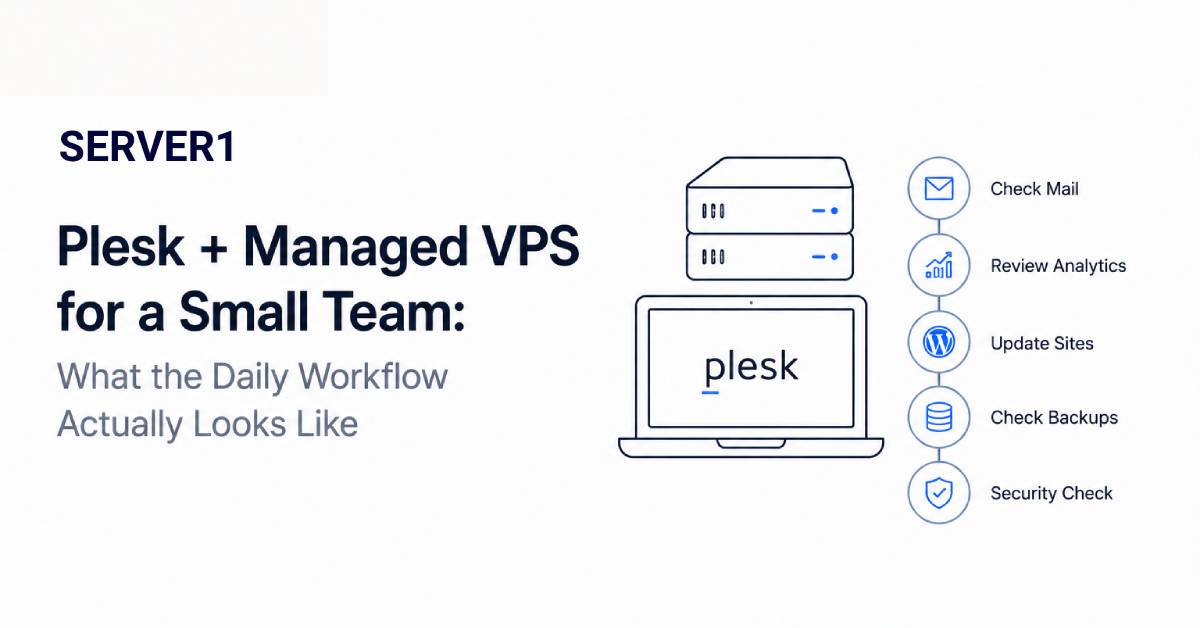
For a small team, the biggest server problem is often not technical complexity but constant context switching. A developer writes code, checks SSL, creates a mailbox and then gets pulled into a disk alert. Plesk plus managed VPS makes more sense in that context: routine web operations live in a control panel, while part of the system-level maintenance can sit with the provider.
If the new project is WordPress and it does not need isolated VPS resources, WordPress Hosting may be the simpler option; VPS becomes more relevant when you need greater control or resources.
09:10 - a new website needs to be added
Creating a domain or subscription, adding a database, selecting a PHP version and enabling SSL can be handled through a GUI. This is useful when not everyone on the team is a Linux administrator. For more detail, see our Plesk infrastructure overview.
For WordPress projects, the day-to-day Plesk workflow is illustrated further in our WordPress Toolkit overview, including installation, staging and management operations.
11:30 - a developer needs temporary access
A good process gives each person only the access they need. Sharing a root credential with everyone is the easiest shortcut and one of the worst. Subscription- and user-level access preserves administrative boundaries much better.
15:20 - one site needs a PHP change
A control panel makes routine changes easier, but “there is a button for it” does not mean “there is no risk.” Before a production runtime change, application compatibility and a rollback path still matter.
22:40 - monitoring reports a disk problem
This is where managed VPS becomes operationally valuable. If monitoring and system-level response are part of the service, the team does not need to find an available sysadmin late at night. That only works when the support scope is clear in advance.
If you are still choosing a control panel, our Plesk vs cPanel comparison is useful context; system-level ownership is covered more broadly in the server-management article.
What Plesk does not replace
Plesk does not turn a bad plugin into a good one, fix custom application bugs or remove the need for capacity planning. It organises and simplifies operations; application engineering remains application engineering.
| Task | Typical owner |
|---|---|
| Domain, mailbox, database and routine site settings | Team through Plesk |
| Custom application bug | Developer |
| OS/web-stack issue | Managed provider, if in scope |
| Content/plugin business decision | Site owner/developer |
| Backup policy | Explicitly agreed responsibility |
The point of this combination is not that “the server disappears.” The server remains, but daily ownership becomes clearer and more manageable. If this resembles your team's workflow, review SERVER1 Managed VPS and compare the support scope with the work your team actually needs to offload.