Language
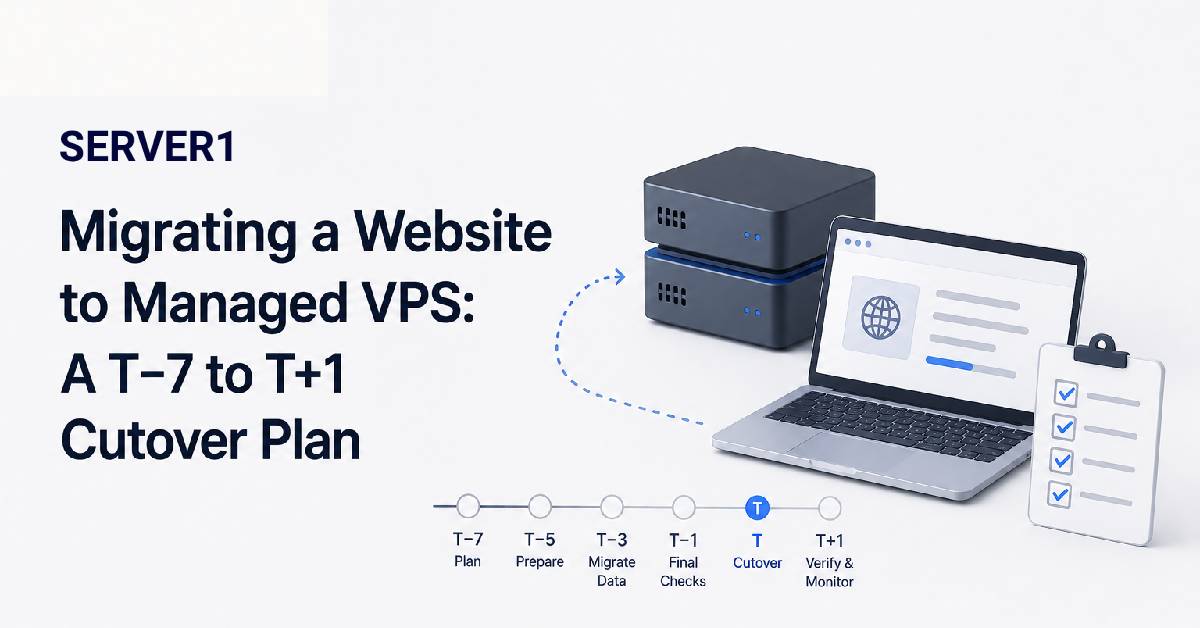
A website migration can look like three simple actions: copy files, import the database, change DNS. Real projects fail around the details hidden behind those three phrases - cron jobs, mailboxes, API keys, PHP extensions, DNS records, uploads, checkout and data that keeps changing during the migration itself.
I therefore prefer to treat migration as a short timeline rather than a single event.
If you are moving to SERVER1, the hosting migration service covers the migration workflow around files, databases, email and post-launch validation; the exact scope should still be agreed for the project.
T−7 days - build an inventory before touching anything
List every dependency on the old environment
- domains and subdomains;
- databases and users;
- mailboxes and mail-related DNS;
- SSL certificates;
- cron and scheduled tasks;
- runtime versions and extensions;
- external APIs, payment callbacks and IP allowlists.
If a dependency does not make this list, it is exactly the sort of thing that tends to be remembered after cutover.
Before finalising the destination environment, review the criteria for choosing a hosting plan so the migrated workload does not start life resource-constrained.
T−1 day - the new VPS should already be testable
Do not change DNS yet
Test the new environment with a hosts-file override or staging hostname. Check login, forms, uploads, checkout, background jobs and outbound mail. Compare runtime configuration and file permissions with the old server.
For WordPress migrations, understanding the WordPress Toolkit can also be useful when Plesk is part of the new environment.
When planning cutover, understanding the causes and impact of website downtime helps set a realistic maintenance window.
T0 - cutover day
Final sync first, DNS second
On a dynamic website, data keeps changing after the first copy. A store may receive a new order, a user may upload a file, or an administrator may edit content. That is why a final synchronization or a short maintenance window is needed before cutover.
DNS changes come afterwards. Both environments should remain ready during propagation because different users may temporarily reach different servers.
T+1 day - do not shut the old server down yet
Test business functions, not only the homepage
Review web-server logs, application errors, mail delivery, scheduled jobs, payment callbacks, SSL and analytics. Keep the old hosting available for a short period as a fallback until the new environment is clearly stable.
Define the rollback condition before the migration
If checkout fails, data does not reconcile, or a critical integration cannot be stabilised within the agreed window, return traffic to the old environment and fix the problem without pressure.
A pre-agreed rollback rule prevents emotional decisions during cutover.
A managed VPS provider may assist with migration, but clarify the scope: website only, or also mail, DNS and application-specific tasks? A good migration ends not when DNS changes, but when the new environment has been verified and the rollback path is no longer needed.